Before Starting
The Communication feature allows you to manage all the communication tools of the software, including one of the most important: email campaigns.
This article covers the following points:
Basics of the Communication feature
Main idea
The Communication feature allows you to contact those in your community as well as any external contacts of whom you have the necessary contact information.
The feature is made up of two main functions:
- Simple email: This is accessible from other features too and it allows you to contact specific people.
- Email Campaigns: This allows you to format your email and integrate different elements such as images, buttons, etc. This is particularly useful for sending weekly newsletters, for example.
How it works
A central aspect of sending emails is the sender score, which is the confidence score attributed by the different email outboxes (Gmail, Outlook, etc.) to the sender's server.
This influences how well emails are received by their intended recipients. It impacts their spam filters, as well as how the emails are displayed in the inbox (featuring them in the primary inbox, the commercial inbox, or the secondary inbox).
This is how emails are processed on the software:
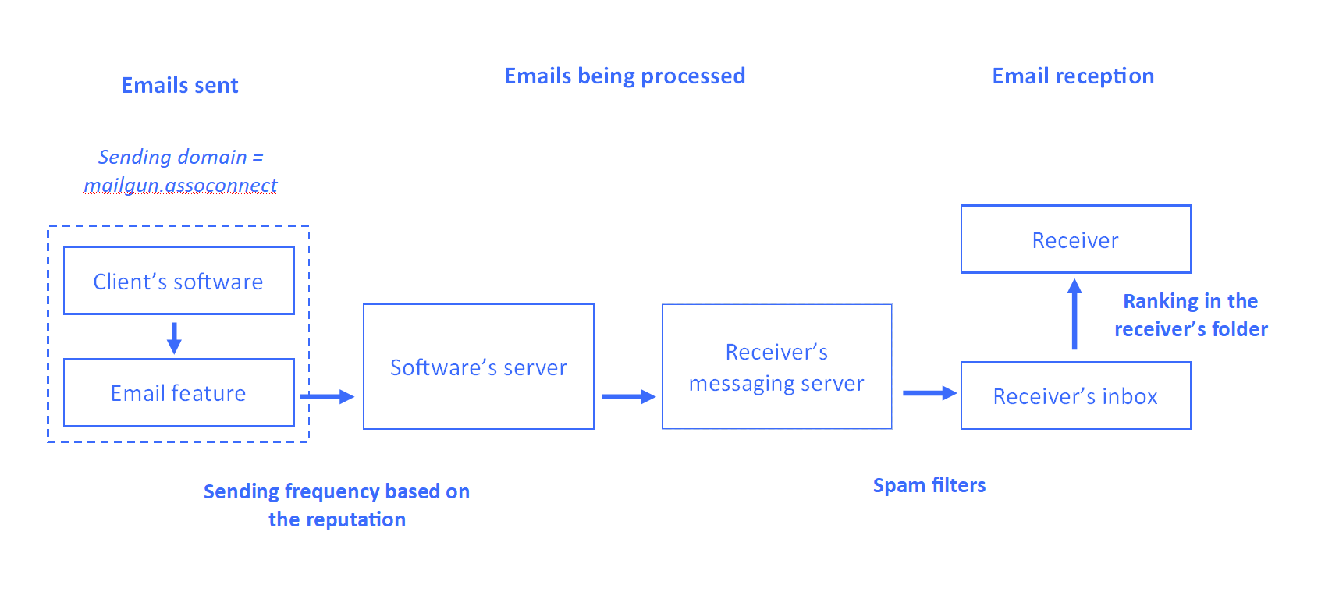
The reputation score is shared between all the nonprofits that use our service. Therefore, when using our tool for the first time, your email frequency will be restricted, so we can identify the campaigns that have a high bounce or spam rate and intervene quickly.
This is how emails are sent based on the reputation score:
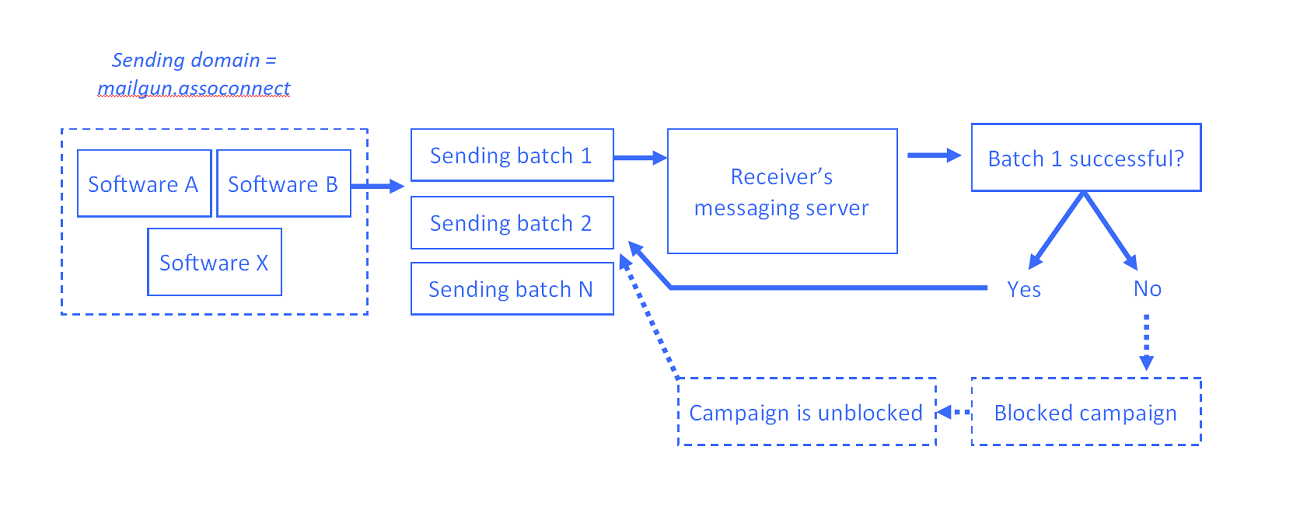
The sending frequency evolves proportionally to your sender score: the more emails you send, the higher the sender frequency.
Main functions: Simple emails and Email campaigns
Simple email
The emailing features allow you to send simple emails from the following pages:
- Contacts: From here you can contact anyone in your CRM.
- Participant list: These lists exist in the Donations, Membership, Online Store, and Events features. From here you can contact groups of people.
You can choose whether to attach files, as well as specify the return email address. The software is not an inbox - you can send emails but you cannot receive them.
Email campaign
You can send email campaigns and manage their layout by choosing or creating templates, as well as personalize the content using dynamic fields.
The choice of receivers is done via lists, found by going to Communication > Email Campaigns > Lists.
These lists can be linked to your Community, with a list for each Group; or can be independent (not attached to the contacts in your CRM), in which case, are supplied by the newsletter sign-up widget.
Once sent, a statistical follow-up allows you to see the open and bounce rates.
Comments
0 comments
Article is closed for comments.