Bank reconciliation is one of the main control tools in accounting. It is an efficient method to know the real situation of the treasury.
- What is the purpose of bank reconciliation?
- When should you perform your bank reconciliation?
- How do you reconcile on Springly?
- How to set up reconciliation on Springly
👉 Download our Bank Reconciliation guide
What is the purpose of bank reconciliation
When you receive your bank statement you should verify that the bank transactions listed on the statement are consistent with the entries recorded in your accounting.
This verification step is called "bank reconciliation". The advantage of reconciling the bank statement is to know if the cash amount entered in your accounting is consistent with the cash amount indicated by the bank.
Important note: only the entries related to the accounting will be displayed in the reconciliation interface of the software.
This reconciliation is not mandatory. However, we strongly recommend it. It allows you to check if there are any inconsistencies in the accounting or in the bank, and to correct them.
When should you perform your bank reconciliation?
It is tempting to reconcile at the end of the year, or one month before your accounting closing.
However, it is a real comfort to do this work every month, as soon as you receive the bank statement. By doing your reconciliation as you go along, you save time and avoid panic at the end of the year: it is much easier to remember an invoice issued 15 days ago, than the same invoice issued 1 year ago.
How do you reconcile on Springly?
The accounting software will help you in this control work.
Where can I do my reconciliation?
In the Accounting feature, you can perform your reconciliation from the Reconciliation page. The path to the reconciliation tool is:
Accounting > Bank > Reconciliation
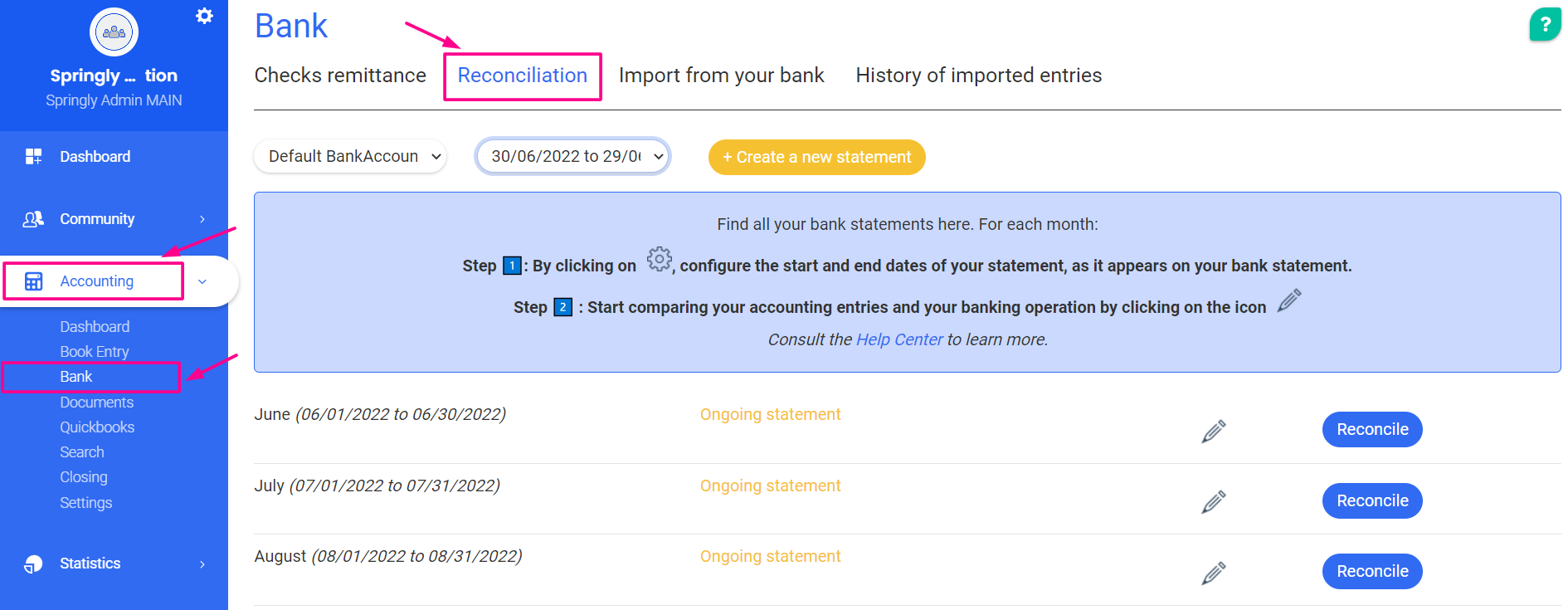
The two possible reconciliation methods
We offer two methods of account reconciliation: account reconciliation by paper statement and reconciliation by importing bank transactions from your bank to the software.
You can choose the method of your choice on the Import from Bank page
Accounting > Bank > Import from bank
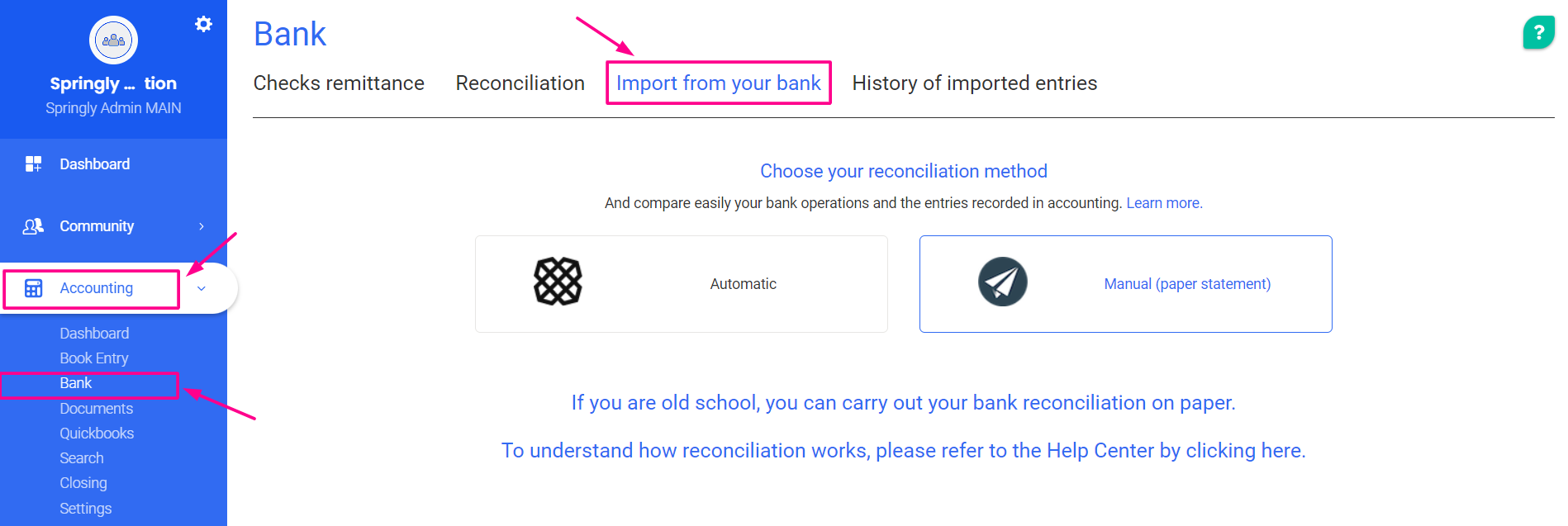
-
Manual account reconciliation
This method is the traditional method of reconciliation. It consists of performing a reconciliation by directly comparing your entries recorded in the accounting system with the paper statement provided by your bank.
For example, you take your bank data for the month of January and compare each transaction presented in your bank statement with the data recorded in the accounting for that same month. You then mark the corresponding entries.
-
Import the bank statement from your bank
You import directly into the tool all the bank transactions that appear on your statement. You can then compare the accounting entries with the bank transactions directly from the tool.
The import of these bank movements can be done automatically or manually.
Set up the reconciliation tool
The first time you arrive at the Reconciliation page, you will need to set up the reconciliation tool so that it is ready to use.
Comments
0 comments
Please sign in to leave a comment.